
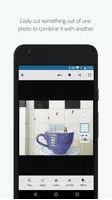
Adobe Photoshop Mix - Cut-out is a mobile app that lets you create and edit images directly on your smartphone or tablet. It provides various tools for cutting out elements from photos, such as a smart selection tool, an eraser, and an edge refinement tool. The app also comes with filters, effects, and text options to elevate your final images. Thanks to its intuitive design and robust editing features, Adobe Photoshop Mix - Cut-out is perfect for crafting professional-looking visuals wherever you are.
Key Features of Adobe Photoshop Mix - Cut-out:
* Cut out and merge images: Effortlessly remove parts of photos or blend several images into one unique composition.
* Adjust colors and contrast: Improve your photos by tweaking colors, contrast, and applying preset filters with just a tap.
* Non-destructive editing: Edit photos without changing the original, preserving your images in their pristine state.
* Seamless sharing: Instantly share your work on social media to display your photography talents.
Pro Tips:
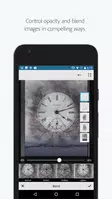
* Try various blending modes and opacity levels for smoother transitions when merging images.
* Refine colors and contrast in specific parts of your photos with the adjustment tools.
* Save projects as PSD files to keep editing in Photoshop CC with advanced features.
* Explore the Creative Cloud Photography plan to access Lightroom and Photoshop for a full editing toolkit.
Transform and Edit Photos with Photoshop Mix:
Photoshop Mix gives you an enjoyable, simple, and creative way to edit photos on your phone. It includes a range of tools for cutting out, combining images, adjusting colors, and enhancing photos with ease, wherever you are.
Sharing and In-Depth Editing:
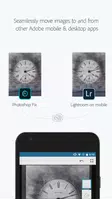
Share your edits on social media or transfer them to Photoshop CC on desktop for advanced adjustments, helping your photos achieve their best look.
Blend Photos for Creative Outcomes:
Merge multiple photos to produce eye-catching and imaginative results, whether for fun or artistic expression.
Color Tuning and Filters:
Adjust colors, contrast, and apply a selection of preset filters (FX Looks) to enhance your images. The touch-friendly controls make it easy to fine-tune the whole image or specific regions.
Non-Destructive Workflow:
Photoshop Mix keeps your original photos intact, so you can experiment without losing the initial quality.
Quick Social Sharing:
Share edited photos directly to social media from the app, letting you show off your creativity to your audience.
Creative Cloud Integration:
For photography lovers, the Creative Cloud Photography plan includes Lightroom and Photoshop. With Creative Cloud, you can open and edit Photoshop files in Mix and move layered projects to Photoshop CC. All your edits stay in sync across devices for a consistent workflow.
Adobe ID Benefits:
Signing up for an Adobe ID through Mix helps you handle purchases, memberships, and trials for Adobe apps and services. It acts as your central dashboard for Adobe products, including registration, order management, and support.
Internet and Adobe ID Requirements:
Using Adobe’s online services like Creative Cloud requires meeting specific terms and conditions. Users must be at least 13 years old and have an internet connection. Note that Adobe’s online services can differ by region and language, and Adobe may update or discontinue them. For privacy details, refer to Adobe’s official site. If the privacy page doesn’t load, confirm the URL and check your connection—issues could be due to the link or network.
What’s New in Version 2.6.3
Last updated on Jun 14, 2021
- Bug fixes

2.6.3
49.30M
Android 5.1 or later
com.adobe.photoshopmix